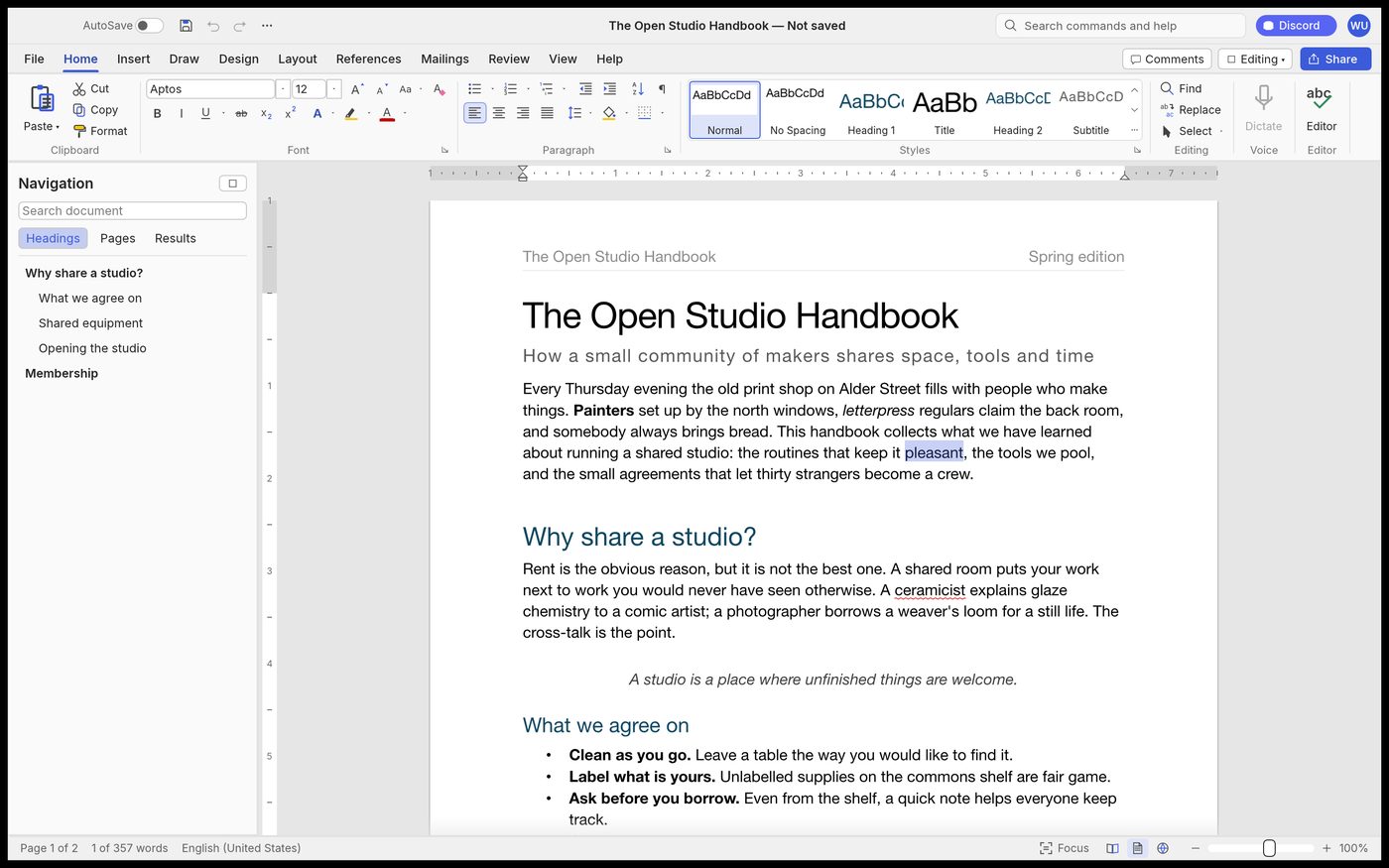
The most complete of the four clones, and the one whose honesty makes it usable: it documents its own ceiling. For plain prose, tables, styles and references it is a real word processor. For anything with a chart embedded by a colleague, do not save over their file yet.
What it is
WordCraft is not a wrapper, a web view, or a fork of LibreOffice. It is a from-scratch implementation of the Word workflow — ribbon, styles, pages, tables, references, track changes, mail merge — in pure Rust, rendered with egui on the GPU. The repository states the constraint plainly: no Electron, no Tauri.
It runs natively on macOS, Windows, Linux and BSD, and in a browser through WebAssembly. Installers are code-signed and come in x64, arm64 and 32-bit builds, plus a portable zip. Building from source is one cargo command.
What actually works
The README organises features into thirteen areas, and the ones that matter for daily use are genuinely implemented rather than stubbed:
- Formatting and styles — a live style gallery, create/modify styles, themes, Format Painter, Change Case, character spacing.
- Tables — banded styles, merge and split, formulas, sort, header rows repeated across pages.
- References — table of contents, footnotes, citations in APA/MLA/Chicago/IEEE, captions, cross-references, an index.
- Review — track changes, comments in margin balloons, compare documents, restrict editing, accessibility checker.
- Mailings — mail merge from CSV, merge fields, rules, envelopes and labels.
- More than twenty interface languages, including Simplified and Traditional Chinese, Japanese, Korean, Serbian, Ukrainian and Turkish.
The engine exposes 422 commands with undo, and the project's CI runs roughly 800 tests plus a layering check and a WebAssembly build. That is the infrastructure of a product, not a demo.
What doesn't work yet
Confirmed working
- Typing, formatting, styles, tables, page layout
- Track changes, comments, compare
- Mail merge from CSV
- Native desktop + browser builds
- MCP server and scriptable CLI
Documented gaps
- Charts and SmartArt don't survive a round trip
- Pagination is not yet Word-identical
- No native printing
- No real-world .docx test corpus yet
- Stability sweep still ahead of beta
The project's own summary: it covers 88% of Word's ribbon features with commands — its weighted breadth, which also counts dialog options, styles and non-ribbon languages, is about 80% — and it is about 60% of the way to replacing Word for real work — 55% for a typical professional's week, 63% for everyday essentials. It is in alpha; beta needs real-world files, chart and SmartArt fidelity, closer pagination, a stability pass and native printing. The project estimates roughly 150–230 agent-hours to get there.
The file-format trap
This is the distinction that decides whether you can use it at work. "Reads and writes .docx" is true. "Preserves a .docx someone sent you" is not the same claim, and the roadmap lists chart and SmartArt preservation as an unfinished beta requirement.
The safe pattern today: author in WordCraft, export and hand over a PDF; or open a simple .docx, edit text, and save a copy rather than overwriting. Do not open a client's deck of charts and press save.
Built to be driven by an agent
WordCraft ships an MCP server before it ships a finished product. An agent can list every command, execute batches, type, select, inspect the document as JSON, render a page and save — with read and write roots confining it to specific folders. Macros record any command sequence and replay it.
That is the strategic bet of this whole family: the target is not a cheaper Word, it is a document engine a model can operate.
Should you install it?
Try it if you write long, structured documents, care about plain-text longevity, or want an agent to operate a word processor. It is free, it is signed, and it does not phone home.
Wait if your work is other people's .docx files with charts, or you need print output. That is beta work, not today's build.
Sources: github.com/storytold/wordcraft (README, ROADMAP.md, docs/gaps.md), read 18 October 2026.